TRX Staking Comes to Trezor, Powered by P2P.org
Published · Updated
At a glance:
• TRX staking is now live directly inside Trezor, through a collaboration with P2P.org
• Native Staking is available at launch - the standard TRX staking model
• Fully non-custodial: assets never leave the Trezor device, and staking runs through P2P.org's infrastructure as a TRON Super Representative
TRX staking is now live on Trezor, with staking infrastructure for this integration provided by P2P.org. No third-party bridge, no new account, no giving up custody of your keys. The integration launches with Native Staking, which works the way staking has always worked.
About Trezor
Trezor is a hardware wallet brand built by SatoshiLabs, a Czech company that shipped the first commercial hardware wallet for crypto in 2014. Trezor devices store private keys offline on the device itself, so funds can be managed without the keys ever touching an internet-connected computer or phone. Trezor hardware wallets have 100% open-source code & design, meaning the code is publicly auditable rather than closed. Trezor's current device lineup includes the Safe 3, Safe 5, and Safe 7 models, and Trezor Suite is used to manage, send, receive, and now stake a wide range of crypto assets. Millions of Trezor devices have shipped since the company's founding, and it remains one of the reference points people compare against when evaluating self-custody hardware.
Native Staking
This is staking in its most familiar form. Stake your TRX, help secure the TRON network, and be eligible for network rewards, which are variable, protocol-determined, and not guaranteed by P2P.org. If you've staked on any other chain, the mechanics will be familiar. It's a straightforward entry point for anyone who wants low-friction exposure to network rewards without engaging further with network mechanics.
Why this integration, and why now
Trezor has spent over a decade building tools for self-custody, hardware that millions of people use to hold their keys and maintain control of their assets. Meanwhile, P2P.org has spent the last 8 years building non-custodial staking infrastructure, including operating as a Super Representative on TRON, a high-throughput proof-of-stake network.
Those two things fit together directly. For TRX, Trezor users get access to validator-level staking infrastructure they don't have to vet or build themselves. P2P.org gets to bring that infrastructure to a self-custody audience at a scale it would not reach independently.
What's live at launch
Native Staking is available directly inside the Trezor interface at launch, through the Earn tab: stake, track, and unstake without your keys ever leaving your device. Staking involves choosing a Super Representative to vote for - P2P.org is one of the available options - and there are no wrapped tokens or intermediary custody steps; delegation happens directly on-chain.
How-to guide:
- Stake your TRX on desktop
- Staking takes two transactions: freezing your TRX, then voting for a representative. You confirm each one on your Trezor.
1. Open the Earn tab
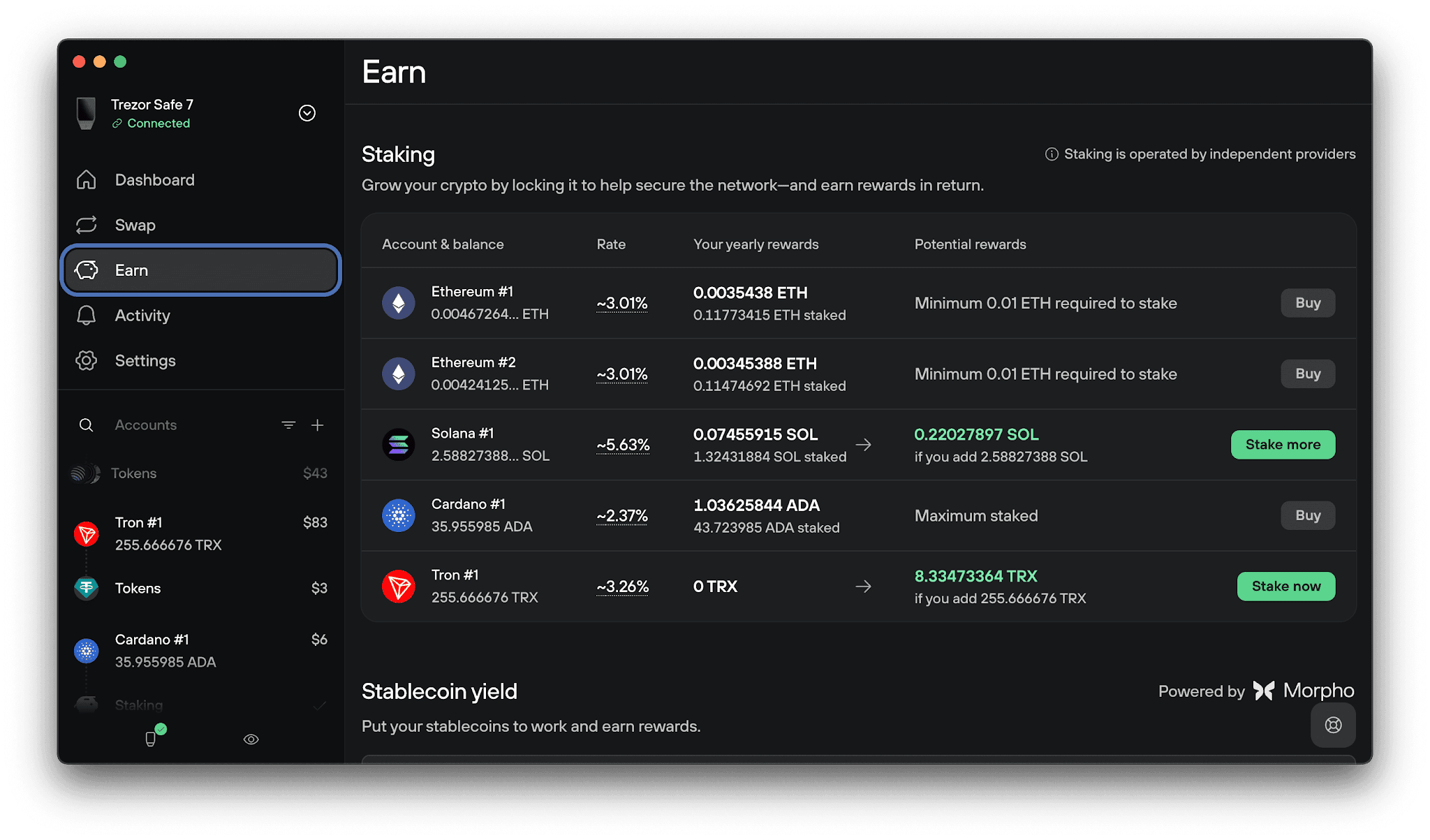
In Trezor Suite, open the Earn tab. Find your Tron account in the staking list and click Stake now.
2. Freeze your funds
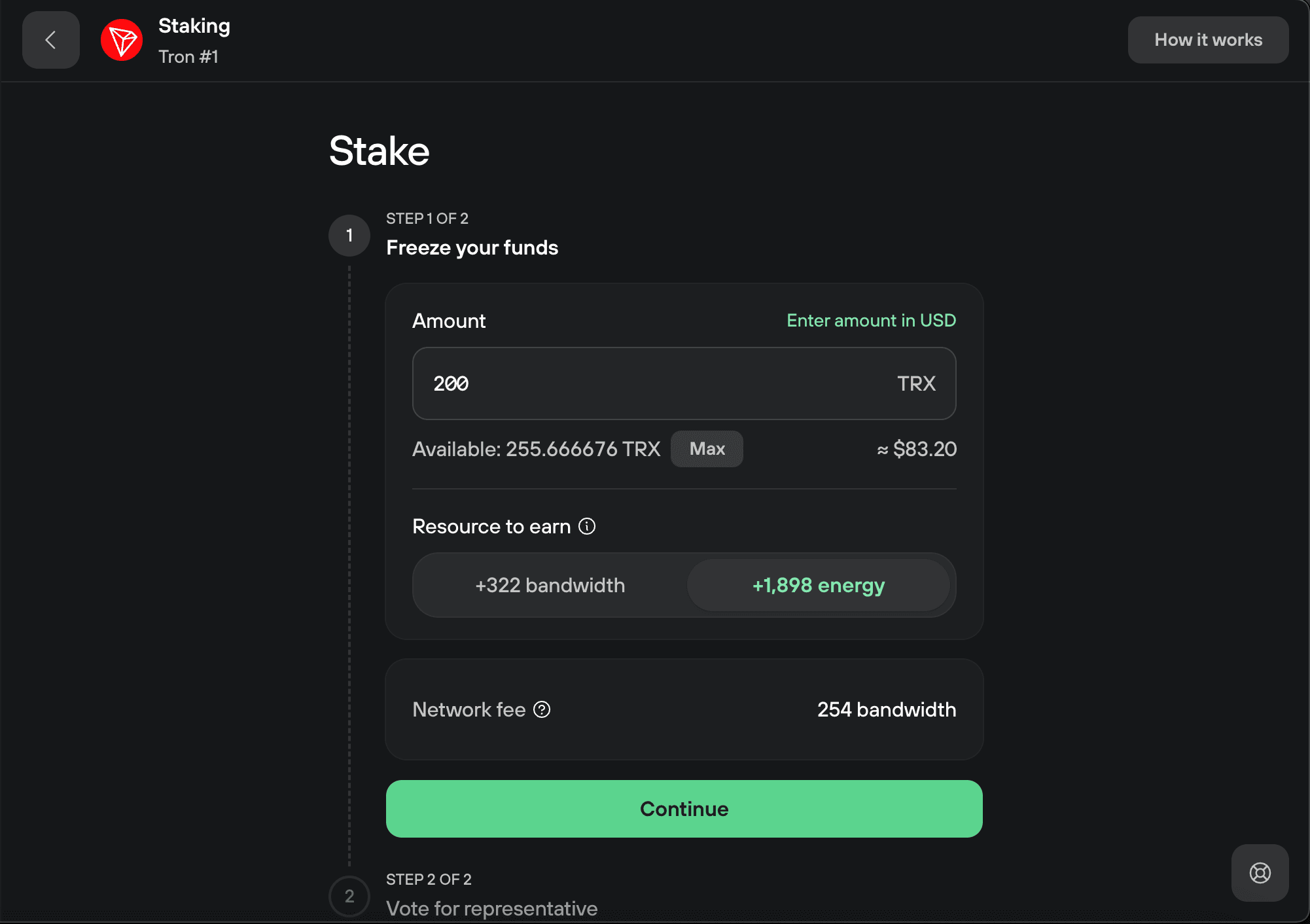
- Enter the amount of TRX you want to stake. Choose the resource you want to earn, bandwidth or energy, then click Continue.
- Bandwidth comes with a small free daily allowance; energy doesn't. If you regularly send tokens like USDT, stake for energy to keep those transfers cheap.
3. Confirm the freeze on your Trezor
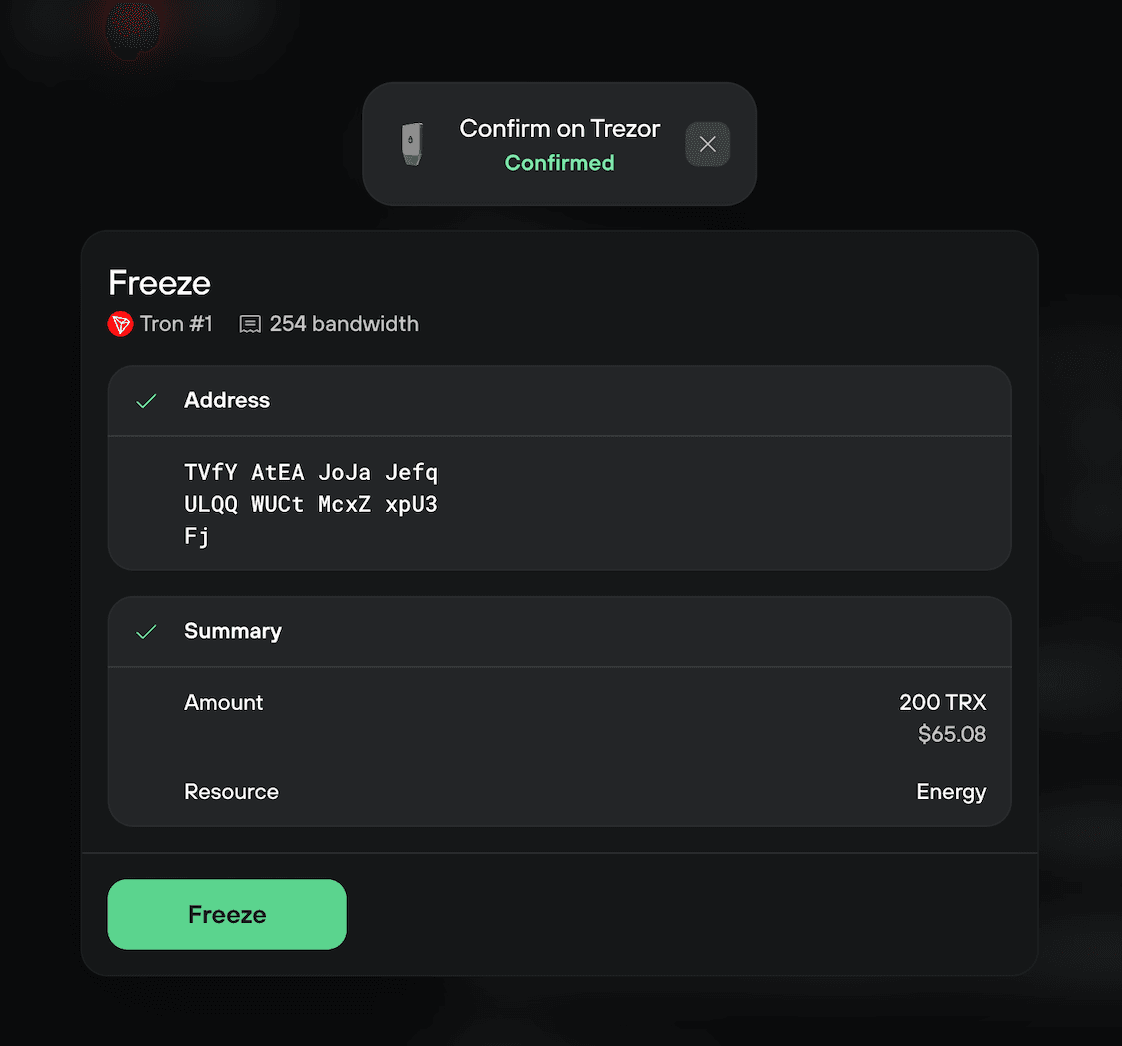
- Check the amount and resource on your Trezor and confirm.
- Then click Freeze in Trezor Suite to broadcast the transaction.
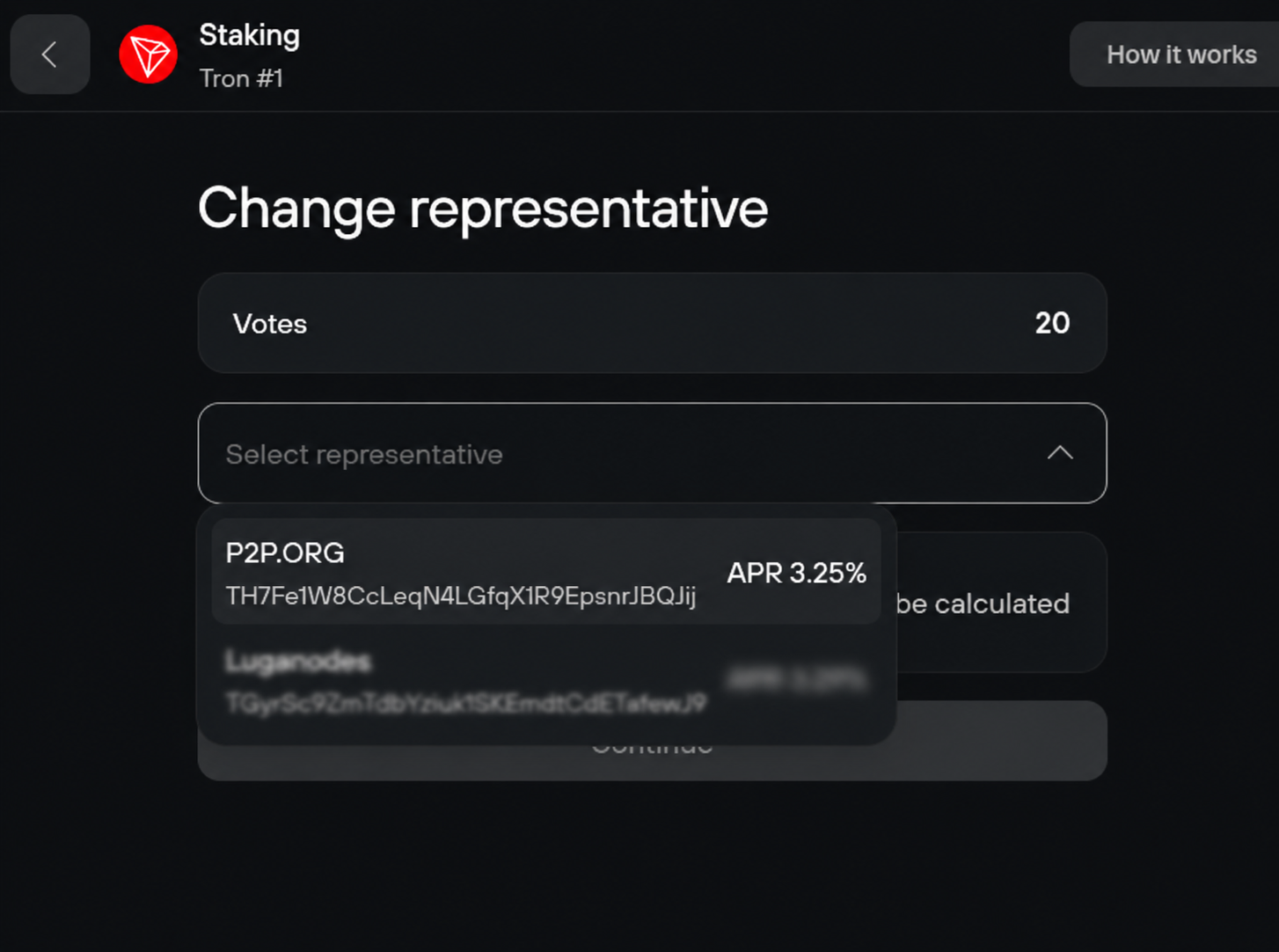
4. Choose P2P.org
- Open the Select representative drop-down and pick a Super Representative (P2P.org).
- Then click Continue.
- The APR is dynamic. It varies by representative and changes with network conditions.
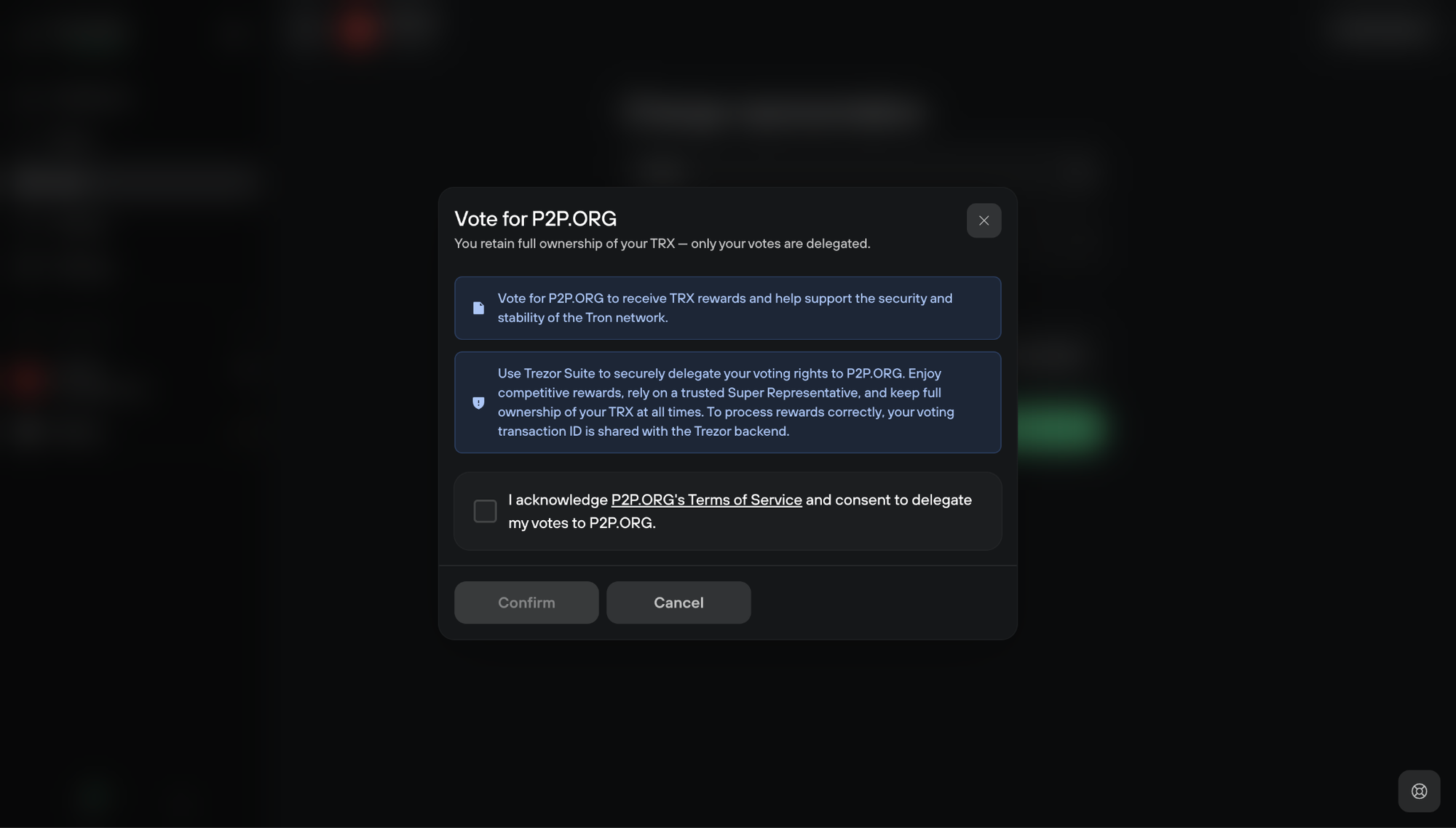
5. Acknowledge the representative's terms
- Read the representative's Terms of Service, tick the box to acknowledge them, then click Confirm.
- Your staked TRX never leaves your account or goes to the representative.
- Only your future rewards depend on the representative staying reliable.
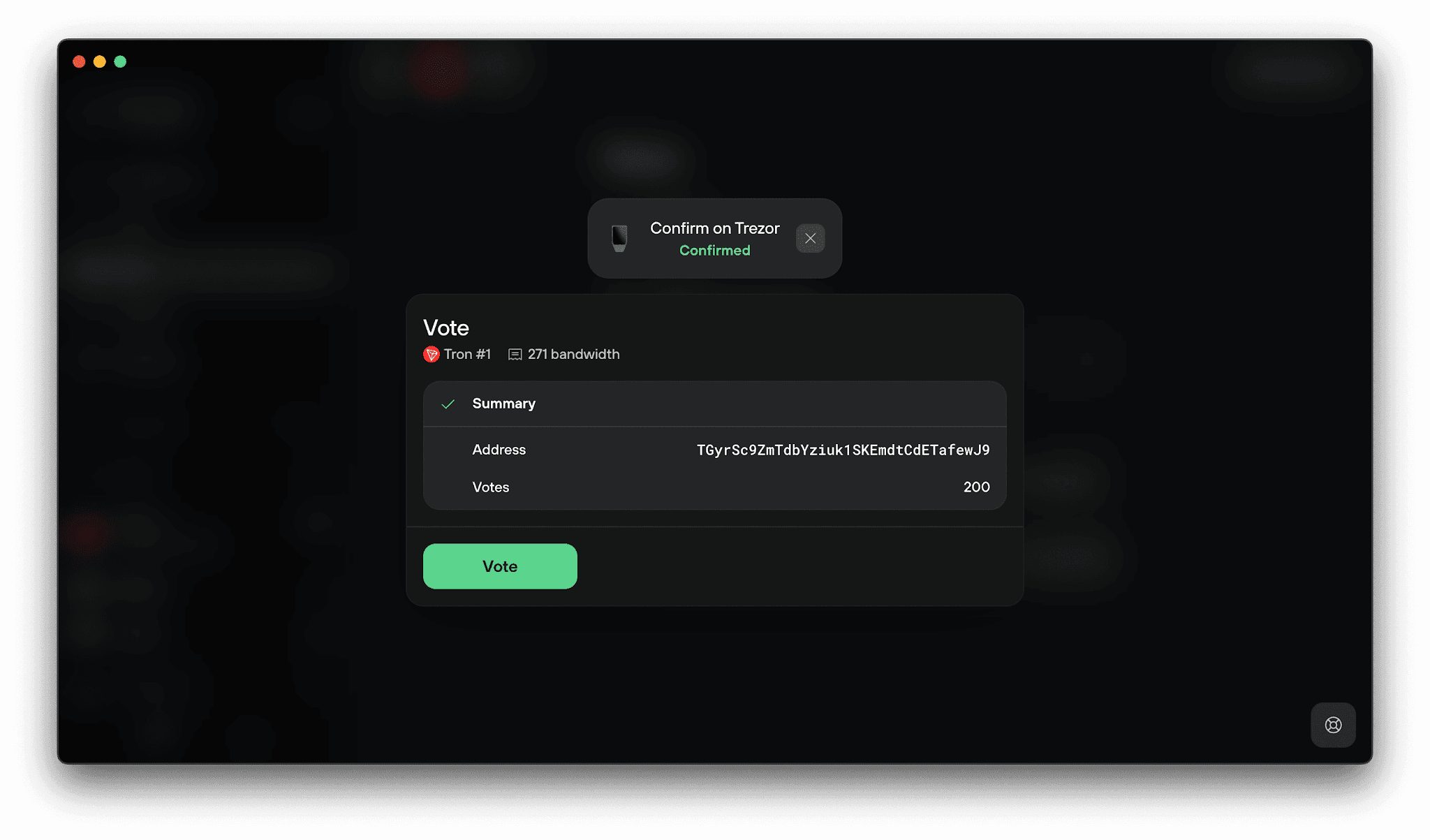
6. Confirm the vote on your Trezor
- Check the representative address and the number of votes on your Trezor and confirm.
- Then click Vote in Trezor Suite.
7. Staking complete
- You'll see the stake complete screen with your APR, the resource you earned, and the amount staked.
- Click Back to overview to return to the Staking tab, where you can stake more, vote again, or unstake.
Find the official Staking Tron (TRX) in Trezor Suite guide here.
FAQ
Does staking through Trezor mean giving up custody of my TRX?
No. The integration is non-custodial throughout. Your TRX stays under your control via your Trezor device at every step, including staking, reward accrual, and unstaking.
Is P2P.org the only staking provider available on Trezor?
No. Trezor works with multiple staking providers. This integration is one way to stake TRX on Trezor, with P2P.org operating the underlying infrastructure as a TRON Super Representative.
Want the technical or business details behind the integration? Get in touch with the P2P.org team.
Disclaimer
This material does not constitute advice. We accept no liability for any actions taken based on it. Please assess your objectives, experience, and risk tolerance, and seek full information before making any decisions. Staking rewards are variable, protocol-issued, and not guaranteed. P2P.org operates as a non-custodial infrastructure provider; users retain control of their assets at all times. P2P.org is not affiliated with or endorsed by any of the third-party institutions named herein.
André Caldeira